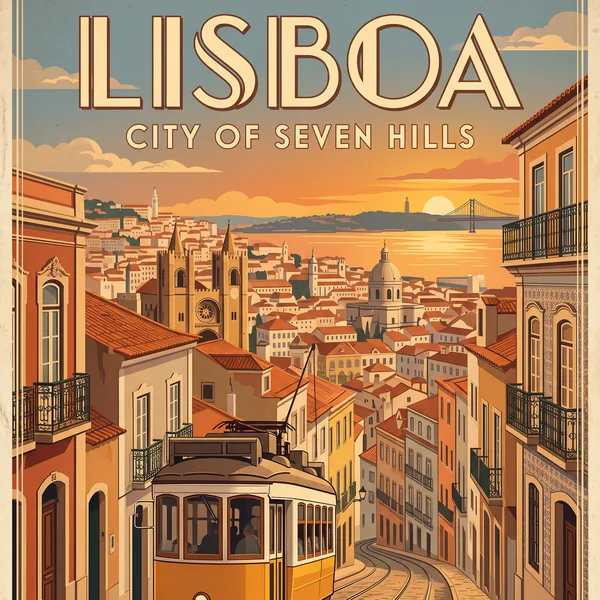
Posters and typographic design
Prompt idea: Put each headline in double quotes, such as "LISBOA" and "CITY OF SEVEN HILLS", name the print style (here Art Deco) and say which line is the headline and which is the subtitle.
This online AI image generator and image editor runs on Google's Nano Banana 2.1 model. Describe a scene to create a new image, or upload photos and tell the model what to change. Every render comes out at 1K, 2K or 4K, in any of 14 aspect ratios, with up to 14 reference images per prompt.
Travel poster
Nano Banana 2.1 is Google's image generation and editing model, released on October 6, 2026. It replaces Nano Banana 2 and is positioned as the more efficient counterpart to Nano Banana Pro.
Here you use the same model from a browser, with no API key and nothing to install, so you can go from a rough idea to a usable poster, product shot or portrait in one place.
Google's model card compares 2.1 with earlier Nano Banana models in side-by-side human preference tests. These are the changes you will notice first.
Headlines, labels and infographic layouts come out cleaner than before. In Google's preference tests, 2.1 scores 1048 Elo for infographic design, against 961 for Nano Banana 2.
Combine up to 14 reference images in one prompt: up to 10 objects kept at high fidelity and up to 4 characters whose faces and outfits stay recognizable.
Multi-character consistency is the biggest jump in Google's evaluation: 1106 Elo, up from 978 for Nano Banana 2. Faces and outfits hold steady when the same people appear in new scenes.
You don't need to paint a pixel mask. Circle an area with a rough sketch or describe it in words, and the edit stays inside that region while the rest of the image is preserved.
Wide (8:1, 4:1) and tall (1:8, 1:4) frames are supported, and the tiling artifacts earlier models showed at 2K and 4K are fixed, so long website banners and panoramas are practical.
Images render directly at 1K, 2K or 4K with no upscaling step. A 4K square is 4096 × 4096 pixels, and an 8:1 banner at 4K reaches 12288 × 1536.
Creating or editing an image in your browser takes five steps.
Pick Text to Image to create something new, or Image to Image to edit photos you upload.
Describe what you want and, if needed, add up to 14 reference images.
Choose one of 14 aspect ratios and a 1K, 2K or 4K resolution.
The generate button shows the exact credit cost before anything runs.
Save the finished image, or upload it again as a reference for the next edit.
Each example pairs a Nano Banana 2.1 use case with the idea behind its prompt, so you can adapt it to your own work.
Prompt idea: Put each headline in double quotes, such as "LISBOA" and "CITY OF SEVEN HILLS", name the print style (here Art Deco) and say which line is the headline and which is the subtitle.
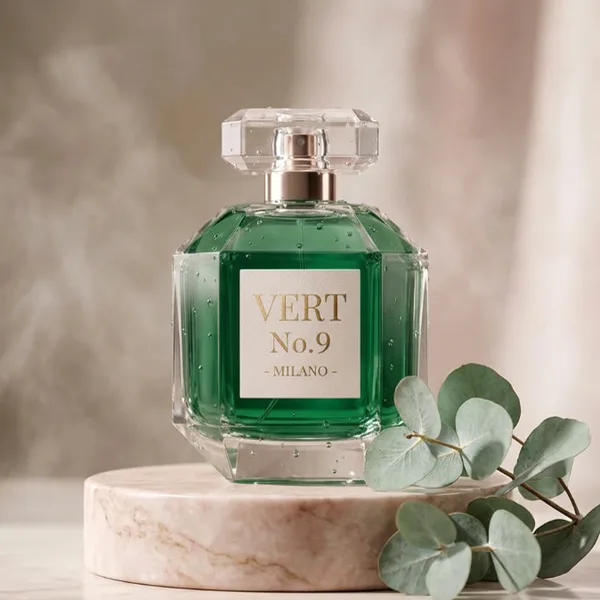
Prompt idea: List the changes (emerald green liquid, a new "VERT No.9 - MILANO" label) and then the things to keep: bottle shape, marble pedestal, lighting and camera angle.
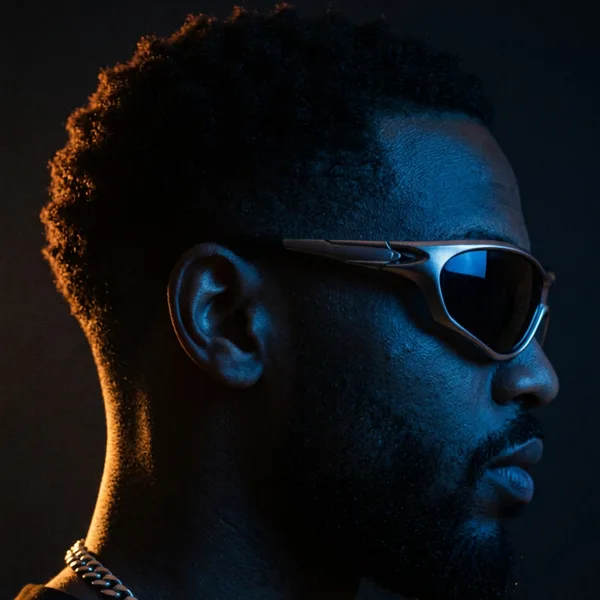
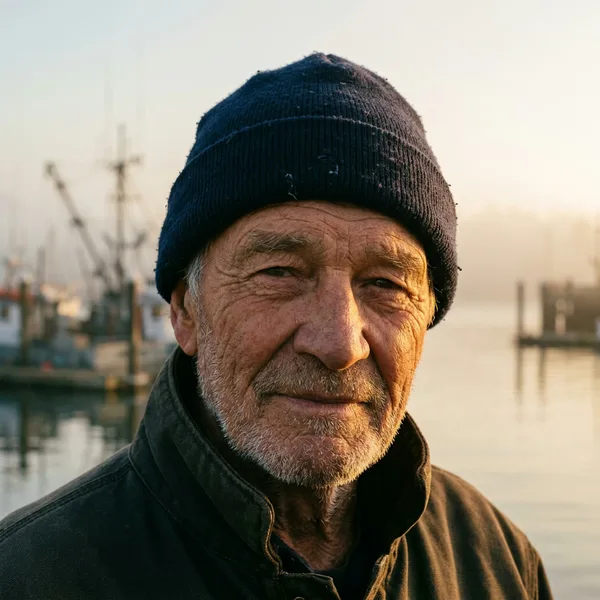
Prompt idea: Give the direction and color of each light, for example blue from the front and warm amber from behind, and ask to keep the person, pose and framing unchanged.
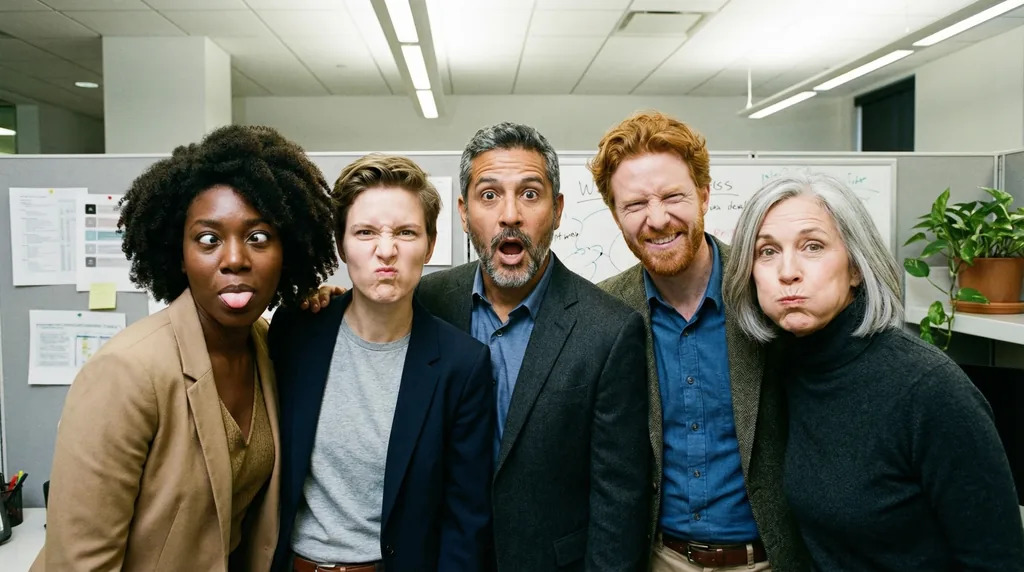
Prompt idea: Upload one clear portrait per person, then describe the shared scene and action in a single line, such as "An office group photo of these people, they are making funny faces."
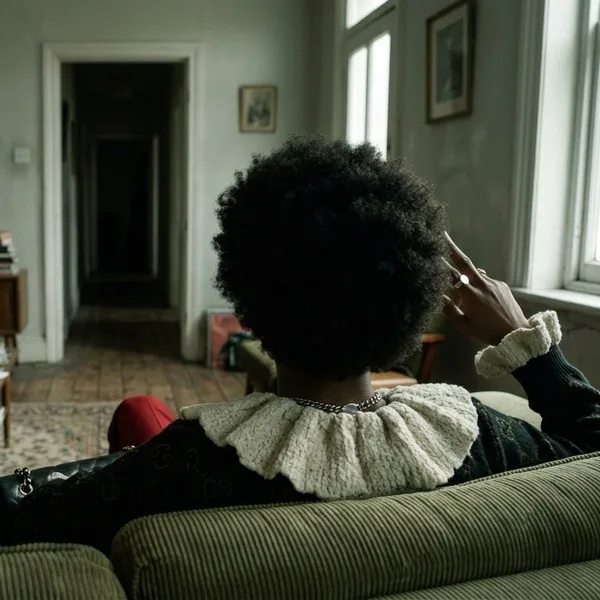
Prompt idea: Ask for the same scene from behind the subject and say where the window and sofa should end up, so the room stays consistent from the new angle.
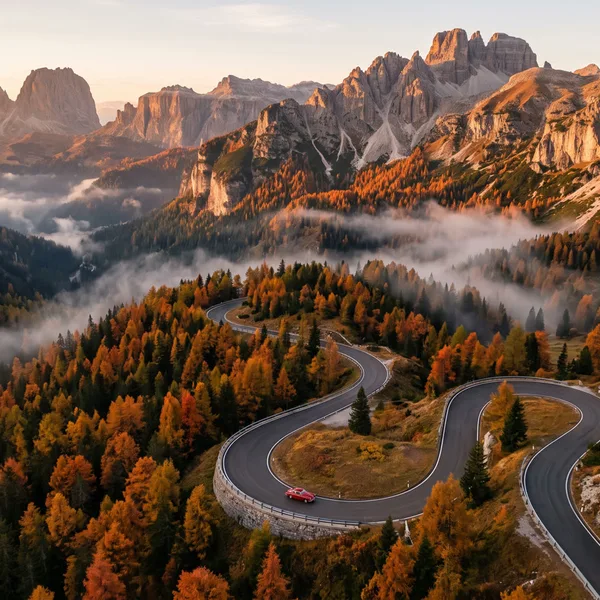
Prompt idea: Combine an aerial camera angle, golden hour light, autumn forest color and one small focal subject such as a red car. The same approach works for wide banners.
These habits make text sharper and keep subjects consistent from one image to the next.
Put signage and labels in quotation marks, such as "MARKET", and say where each line sits in the layout.
Small lettering and dense infographics come out cleaner at 2K or 4K than at 1K.
When editing, name the elements to change and list the surfaces, shapes and lighting that must stay the same.
Refer to uploads by order, for example "the coat from image 1 on the character from image 2".
For panoramas, describe a left-to-right sequence instead of reusing a prompt written for 16:9.
Write "an empty cobblestone street at dawn" rather than listing what should be missing.
Focal length (85mm, 35mm), aperture (f/1.8) and light direction steer realistic shots.
Settle the composition at 1K, then spend credits on 2K or 4K for the final version.
Group related changes into a single instruction so the image does not drift over many rounds.
Here is how the three current Nano Banana models compare on Google's published specs and API prices.
| Feature | Nano Banana 2.1 | Nano Banana 2 | Nano Banana Pro |
|---|---|---|---|
| Model ID | gemini-nano-banana-2.1 | gemini-3.1-flash-image | gemini-3-pro-image |
| Role | Efficient flagship | Previous generation | Premium model |
| Resolutions | 1K, 2K, 4K | 512px, 1K, 2K, 4K | 1K, 2K, 4K |
| Aspect ratios | 14, including 8:1 and 1:8 | Not published | Not published |
| Reference images | Up to 14 (10 objects, 4 characters) | Not published | 6 objects, 5 characters, 3 styles |
| 1K API price | $0.0336 per image | $0.067 per image | $0.134 per image |
| Status | Current recommended model | Scheduled for retirement | Current premium model |
| Best for | Text, multi-character scenes, editing at scale | Existing projects before migration | Localization, brand consistency, fine control |
Credits keep the cost simple. An image costs from 6 credits at 1K, 8 credits at 2K and 16 credits at 4K. Prompts with several reference images can add about 1 credit. The exact cost appears on the generate button before you start.
New accounts receive 6 free sign-up credits. Generating at 2K or 4K, or more than one image per run, requires a paid account. You can subscribe monthly or yearly for a credit allowance each billing cycle, or buy a one-time credit pack.
Cancel anytime
Accepted payment methods


Secure checkout powered by Stripe
Quick answers about the model, credits, reference images and image rights.
Nano Banana 2.1 is Google's image generation and editing model, released on October 6, 2026 under the model ID gemini-nano-banana-2.1. It replaces Nano Banana 2, sits below Nano Banana Pro as the more efficient option, and improves text rendering, character consistency and 4K output.
New accounts receive 6 free credits, enough for one 1K image, so you can try the model before paying. For more images or 2K and 4K output, choose a subscription or a one-time credit pack.
It outputs 1K, 2K and 4K images in 14 aspect ratios, including 1:1, 16:9, 9:16 and the ultra-wide 8:1. 512px output is not offered.
Up to 14 per prompt: up to 10 objects and up to 4 characters whose likeness the model keeps consistent.
Yes. English headlines and labels render cleanly, and short Japanese and Chinese headlines work too. For small text, generate at 2K or 4K.
Its official 1K image price is about half of Nano Banana 2 and a quarter of Nano Banana Pro. It scores higher than both in Google's preference tests for editing and character consistency, while Pro remains the premium option for world knowledge.
Google plans to retire Nano Banana 2 (gemini-3.1-flash-image) from the Gemini API as early as October 29, 2026, and recommends moving to Nano Banana 2.1.
Yes. Our Terms of Service grant you a license to use your generated images for personal and commercial purposes. Every output also carries an invisible SynthID watermark.
Write your first prompt above and see what the model does with it. New accounts get 6 sign-up credits to start.