Nano Banana Pro AI Image Generator

Create high-resolution images with legible typography, character consistency, and up to 14 reference images using Google's Gemini 3 Pro Image model. No API key or Gemini subscription required.

Number of outputs

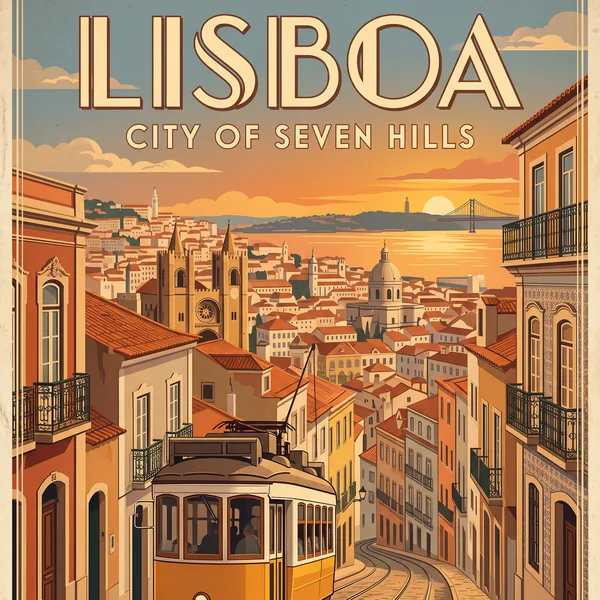
Travel poster
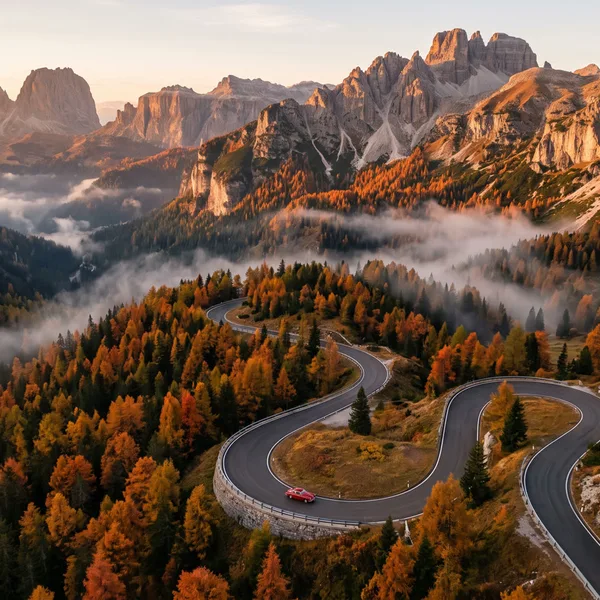
Aerial landscape
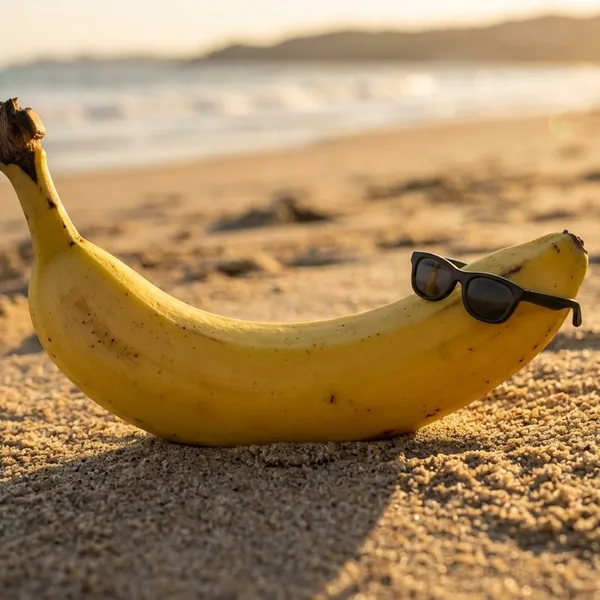
Playful still life
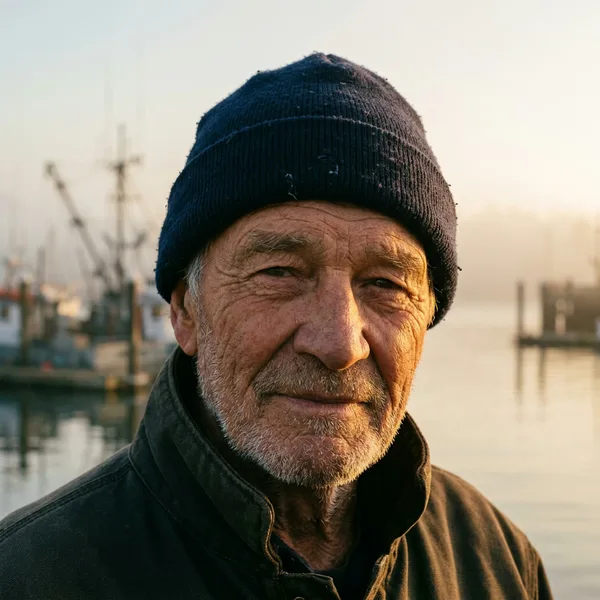
Character portrait

Travel poster

What Is Nano Banana Pro?

Nano Banana Pro is Google's Gemini 3 Pro Image model (model ID gemini-3-pro-image), announced on November 20, 2025. Built on Gemini 3 Pro, it is the premium model in the Nano Banana family, and this page lets you use it as an AI image generator directly in your browser. While the homepage of this site runs Nano Banana 2.1 for fast and low-cost generation, this page gives you direct access to the flagship Pro model for detailed compositions, accurate text rendering, and high-fidelity visuals.

In the official Gemini app, free users receive limited free quotas and get outputs with a visible watermark. On this page, you can generate and edit images using site credits. You do not need a Google Gemini subscription, and you never have to set up or manage an API key. Simply enter your prompt in the generator above to create marketing assets, detailed graphics, and custom illustrations on demand.

What Nano Banana Pro Does Well

Nano Banana Pro combines multimodal reasoning with fine visual control, delivering reliable typography, high-resolution fidelity, and flexible composition settings for demanding design projects.

Legible text in many languages

Nano Banana Pro solves common AI text rendering issues by producing clear, legible text across a wide range of styles. It handles everything from short taglines and logos to multi-sentence paragraphs, stylized calligraphy, and textured signage. You can generate clean typography in several languages or localize existing text directly inside an image without post-processing tools.

Up to 4K output and flexible aspect ratios

Generate high-resolution images tailored to your specific media format. The generator supports 1K, 2K, and crisp 4K resolution across 11 distinct aspect ratio settings: auto, 1:1, 2:3, 3:2, 3:4, 4:3, 4:5, 5:4, 9:16, 16:9, and 21:9. This flexibility lets you produce sharp assets for vertical mobile stories, wide desktop banners, editorial layouts, or physical print.

Reference images and character consistency

Upload and blend up to 14 reference images in a single session to guide composition, style, and subject appearance. The model maintains strong character consistency across scenes, preserving the distinct facial features and clothing of up to 5 people. This makes it practical for multi-scene storyboards, branded product catalogs, recurring marketing mascots, and consistent digital personas.

World knowledge for infographics and diagrams

Drawing on the broad world knowledge and reasoning capabilities of Gemini 3, the model can synthesize structured visual information. It generates accurate cutaways, step-by-step explainers, annotated maps, and technical infographics with sensible spatial organization. While the model handles dense subject matter reliably, creators should always review factual labels and technical details before publishing critical materials.

Studio-style control through prompts

Direct your scene using natural language descriptions of cinematic techniques. You can specify camera angles, depth of field, color grading, bokeh, and shifts from day to night. Because this page does not use a separate editing toolbar or masking canvas, you achieve precise scene adjustments entirely through prompt phrasing combined with uploaded reference images.

How to Use Nano Banana Pro

Creating polished images takes only a few straightforward steps in the browser generator above. Follow this workflow to configure prompts, references, and output settings.

  1. 1

    Write a descriptive prompt

    Describe your subject, environment, lighting, and composition in clear English. If your image requires specific visible words, logos, or slogans, enclose the exact text inside double quotation marks so the model renders it correctly.

  2. 2

    Upload reference images (optional)

    To guide composition, color palettes, or subject appearance, switch to image mode and upload up to 14 reference files. The generator accepts JPG, PNG, and WebP formats to guide the output without third-party editing tools.

  3. 3

    Select dimensions and output quantity

    Pick your preferred aspect ratio from the 11 available options, set the output resolution to 1K, 2K, or 4K, and choose how many variations to generate (from 1 to 4 images per generation run).

  4. 4

    Generate and download your results

    Click generate to create your visuals. Once finished, download full-resolution files directly to your device. Every generation is automatically saved to your private account history so you can review and retrieve past work.

Nano Banana Pro Use Cases

From marketing assets to technical diagrams, explore practical ways professionals apply the model to streamline visual production workflows.

Posters and typography

Design striking promotional posters, magazine covers, and social banners with crisp, readable titles and body copy. Combine custom fonts, vibrant color palettes, and balanced typography layouts directly inside the generated image without separate design software.

Infographics and teaching visuals

Build educational explainers, labeled anatomy charts, and multi-part diagrams for classrooms or presentations. The model organizes complex concepts cleanly, rendering accurate annotations, callout boxes, and structured components based on your prompt descriptions.

Product photos and e-commerce images

Produce studio-quality product mockups, lifestyle product photography, and packaging concepts. Render natural shadow casting and realistic material textures across varied staging environments and editorial backgrounds while keeping your product subject clearly defined.

Ad localization and translation

Adapt marketing creatives for international campaigns by replacing on-image headlines and slogans with localized text. The model preserves existing backgrounds, lighting, and layout geometry while seamlessly rendering the translated text in new languages.

Consistent characters and brand series

Maintain visual identity across continuous storytelling projects, social media campaigns, or branded comic strips. By feeding reference photos, you keep character faces, wardrobe details, and artistic styles uniform across multiple scenes and poses.

Nano Banana Pro Examples

Explore community examples created directly with Nano Banana Pro to see how the model handles intricate text, structured data, and multi-image styling. Each showcase card highlights the original creator alongside the prompt used during generation. These real-world outputs demonstrate how prompt phrasing alone guides fine typography, accurate geographic boundaries, exploded technical assemblies, and multilingual menu translations without external graphic editing tools.

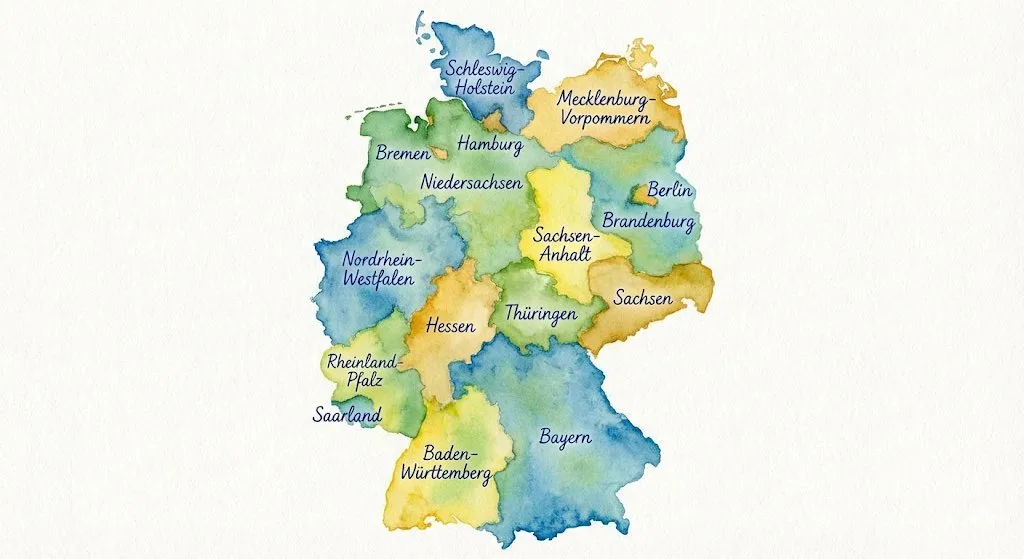
Watercolor map of Germany created with Nano Banana Pro showing handwritten labels for each state.

Watercolor Germany Map

A delicate watercolor map accurately displaying German federal state borders with handwritten geographical labels rendered cleanly across every territory.

Prompt

Generate a map of Germany in watercolor style, on which all federal states are labeled in ballpoint pen.

Created by Florian Gallwitz · Original post

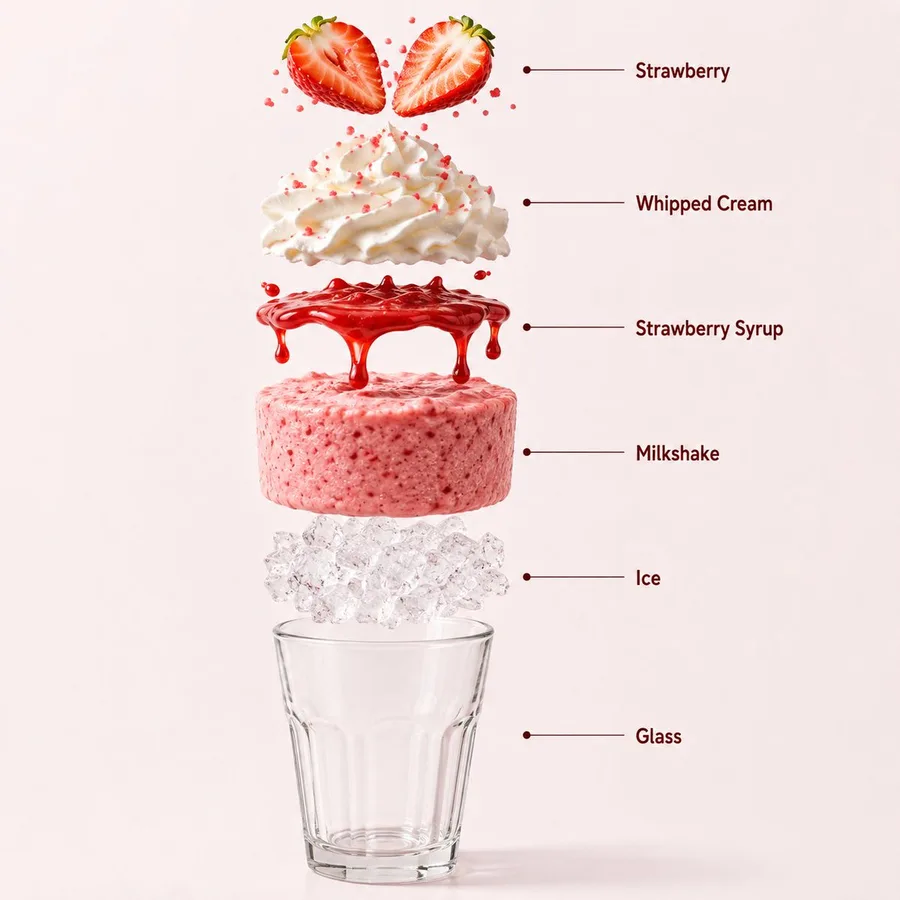
Exploded strawberry milkshake diagram showing six clearly labeled ingredients from fruit to glass container.

Exploded Milkshake Infographic

A vertical cutaway diagram displaying separated milkshake ingredients with six precise labels from fresh strawberry to the outer glass container.

Prompt

Create a hyper-realistic exploded vertical infographic composition of a premium strawberry milkshake. Top → Bottom structure: Fresh Strawberry Garnish → Whipped Cream → Strawberry Syrup → Creamy Strawberry Shake → Crushed Ice → Transparent Glass Base All elements must be perfectly centered, evenly spaced, and vertically aligned. Show realistic strawberry texture, fluffy whipped cream, glossy syrup, thick creamy milkshake consistency, translucent ice, and realistic glass reflections. Use a soft pastel pink seamless studio background with elegant café lighting and subtle realistic shadows beneath each floating element. Ultra-sharp DSLR macro beverage photography, premium dessert drink infographic aesthetic, clean professional composition, hyper realistic, 8K. Add clean minimalist infographic text labels with thin pointer lines using these exact labels: "Strawberry" "Whipped Cream" "Strawberry Syrup" "Milkshake" "Ice" "Glass"

Created by @Strength04_X · Original post

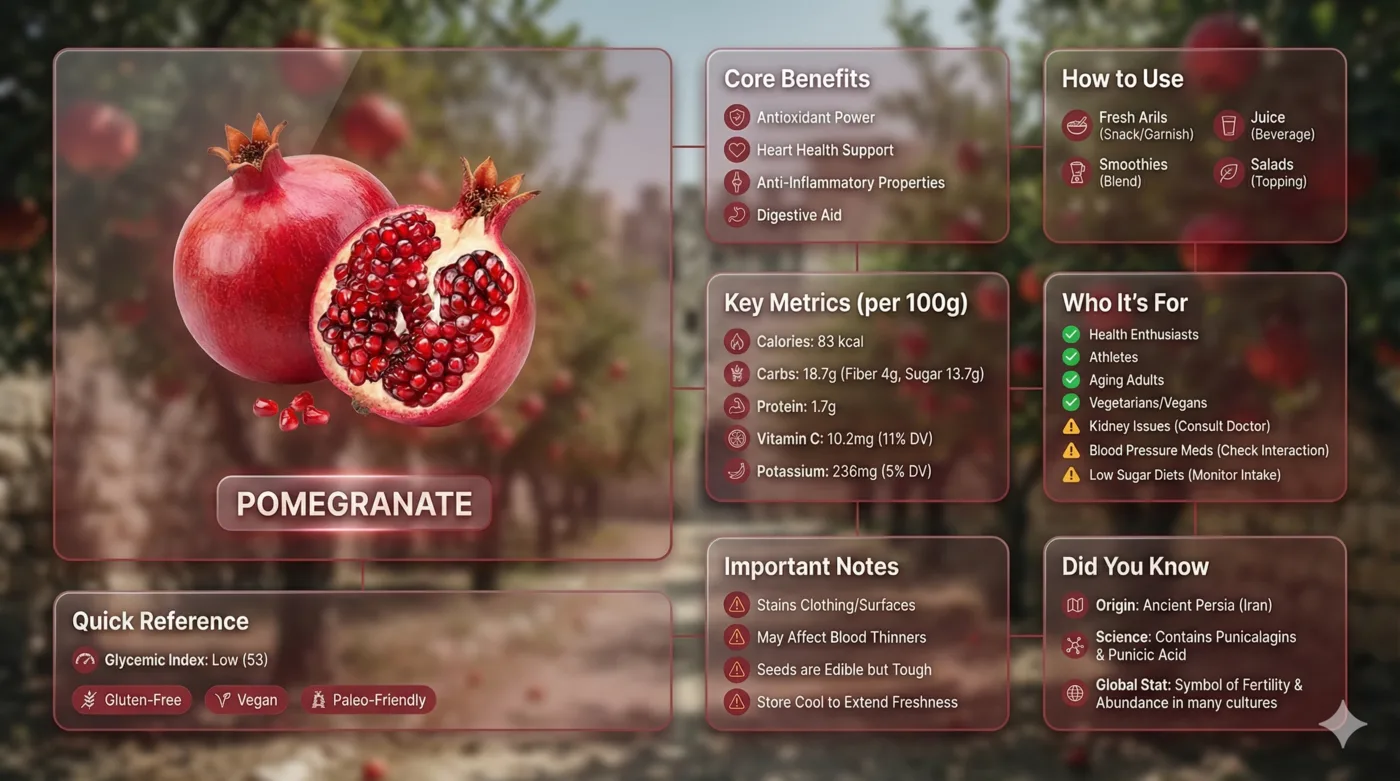
Glassmorphic bento grid infographic displaying pomegranate nutritional facts and botanical details across eight modules.

Liquid Glass Bento Grid

A modern glassmorphic bento layout presenting eight distinct informational modules detailing pomegranate nutritional profiles and botanical properties.

Prompt

Input Variable: [insert product name] Language: [insert language] System Instruction: Create an image of premium liquid glass Bento grid product infographic with 8 modules (card 2 to 8 show text titles only). 1) Product Analysis: → Identify product's dominant natural color → "hero color" → Identify category: FOOD / MEDICINE / TECH 2) Color Palette (derived from hero): → Product + accents: full saturation hero color → Icons, borders: muted hero (30-40% saturation, never black) 3) Visual Style: → Hero product: real photography (authentic, premium), 3D Glass version [choose one] → Cards: Apple liquid glass (85-90% transparent) with Whisper-thin borders and Subtle drop shadow for floating depth and reflecting the background color → Background stays behind cards and high blur where cards are [choose one]: - Ethereal: product essence, light caustics, abstract glow - Macro: product texture close-up, heavily blurred - Pattern: product repeated softly at 10-15% opacity - Context: relevant environment, blurred + desaturated → Add subtle motion effect → Asymmetric Bento grid, 16:9 landscape → Hero card: 28-30% | Info modules: 70-72% 4) Module Content (8 Cards): M1 — Hero: Product displayed as real photo / 3D glass / stylized interpretation (choose one)in beautiful form + product name label M2 — Core Benefits: 4 unique benefits + hero-color icons M3 — How to Use: 4 usage methods + icons M4 — Key Metrics: 5 EXACT data points Format: [icon] [Label] [Bold Value] [Unit] FOOD: Calories: [X] kcal/100g, Carbs: [X]g (fiber [X]g, sugar [X]g), Protein: [X]g, [Key Vitamin]: [X]mg ([X]% DV), [Key Mineral]: [X]mg ([X]% DV) MEDICINE:Active: [name], Strength: [X] mg, Onset: [X] min, Duration: [X] hrs, Half-life: [X] hrs TECH:Chip: [model], Battery: [X] hrs, Weight: [X]g,[Key spec]: [value], Connectivity: [protocols] M5 — Who It's For: 4 recommended groups with green checkmark icons | 3 caution groups with amber warning icons M6 — Important Notes: 4 precautions + warning icons M7 — Quick Reference: → FOOD: Glycemic Index + dietary tags with icons → MEDICINE: Side effects + severity with icons → TECH: Compatibility + certifications with icons M8 — Did You Know: 3 facts (origin, science, global stat) + icons Output: 1 image, 16:9 landscape, ultra-premium liquid glass infographic.
Created by Mansi Sanghani · Original post

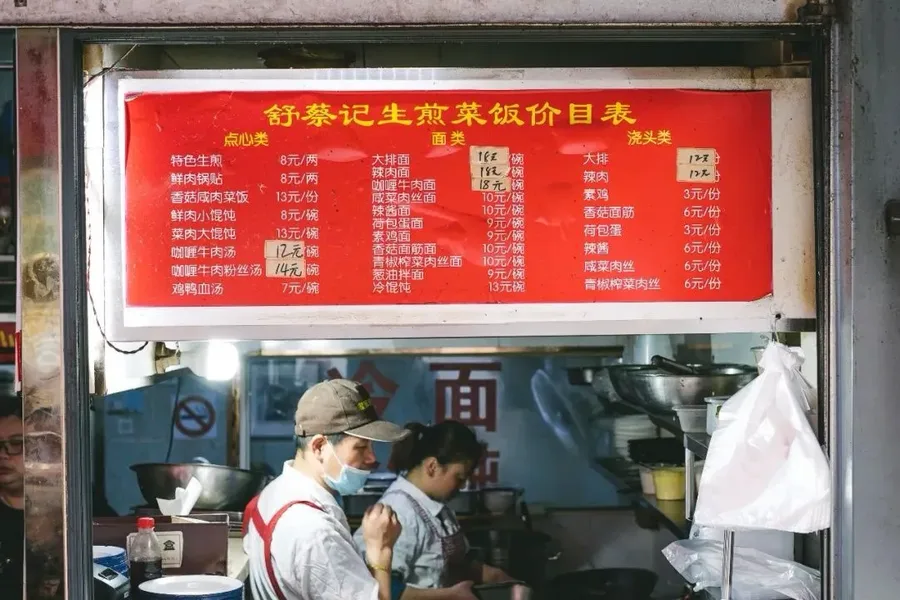
Original Chinese street restaurant wall menu photo with dish names, rustic wear, and prices.
Before
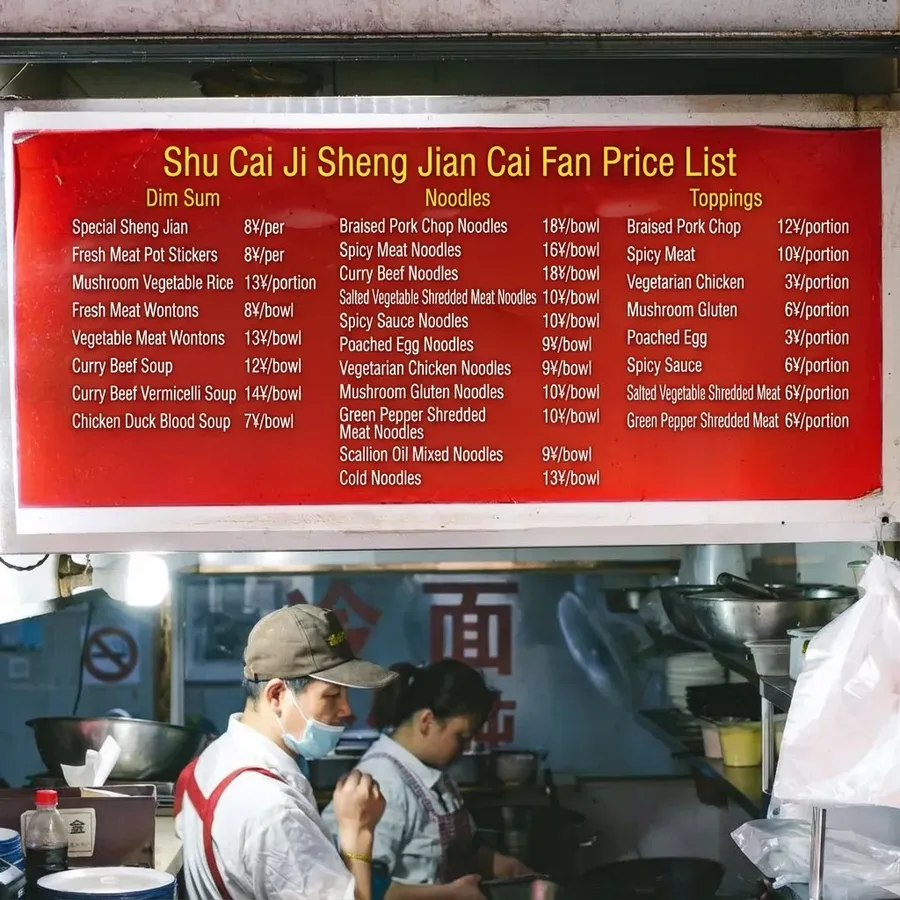
Nano Banana Pro English translation of Chinese restaurant wall menu preserving layout and original prices.
After

Localized Restaurant Wall Menu

A Chinese street bistro menu translated into English, faithfully preserving original pricing numbers, rustic wall wear, and authentic grid alignment.

Prompt

Translate the Chinese dish names on the wall menu into English for foreign tourists. Texture Preservation : Crucial! Maintain the original aged, greasy, and textured look of the wall/paper. The new English text should look like it was written/printed on the same surface, with slight fading or wear to match. Currency : Keep the '¥' symbol and price numbers exactly as they are ; do not convert currency. Layout : align the English translations next to or replacing the Chinese characters naturally.

Created by WeChat article · Original post

Nano Banana Pro vs Nano Banana 2 vs Nano Banana 2.1

Choosing the right model depends on your project goals, output standards, and credit budget. Select Nano Banana Pro when your work demands sharp on-image typography, multilingual localization, strict character consistency, and detailed compositional guidance using up to 14 reference images. In contrast, turn to Nano Banana 2.1 on our homepage for fast iterations and cost-effective bulk asset generation. Nano Banana 2 represents the previous generation and is scheduled for retirement as workflows move to 2.1. The comparison table below details model ID, role, resolutions, aspect ratios, reference images, 1K API price, status, and best use across all three models.

FeatureNano Banana ProNano Banana 2Nano Banana 2.1
Model IDgemini-3-pro-imagegemini-3.1-flash-imagegemini-nano-banana-2.1
RolePremium modelPrevious generationEfficient flagship
Resolutions1K, 2K, 4K512px, 1K, 2K, 4K1K, 2K, 4K
Aspect ratios11, including auto and 21:9Not published14, including 8:1 and 1:8
Reference images6 objects, 5 characters, 3 stylesNot publishedUp to 14 (10 objects, 4 characters)
1K API price$0.134 per image$0.067 per image$0.0336 per image
StatusCurrent premium modelScheduled for retirementCurrent recommended model
Best forLocalization, brand consistency, fine controlExisting projects before migrationText, multi-character scenes, editing at scale

Nano Banana Pro Price

On this site, Nano Banana Pro costs 20 credits per 1K or 2K image and 34 credits per 4K image. For reference, Google's direct API list price for a 1K image is $0.134, which is billed separately from this platform's credit system.

New accounts receive 6 free credits upon sign-up, which is enough to try a 1K generation on the homepage using Nano Banana 2.1, but not enough for a Pro image. Generating at 2K or 4K resolution and creating more than one image per run are available to accounts with an active subscription or unspent purchased credits from a credit pack. You can top up your balance anytime by selecting from our credit packs and plans.

Nano Banana Pro FAQ

  1. 1

    What is Nano Banana Pro?

    Nano Banana Pro is a multimodal image generation and editing model developed by Google under the model ID gemini-3-pro-image. Built on Gemini 3 Pro and announced in November 2025, it serves as the premium engine in the Nano Banana lineup. It specializes in legible typography, multi-image reference blending, complex infographics, and photorealistic scene synthesis.

  2. 2

    Is Nano Banana Pro free?

    Nano Banana Pro is not free on this website. New user accounts receive 6 promotional credits, which is sufficient to test a 1K image with Nano Banana 2.1 on the homepage but does not cover the 20 credits required for a Pro image. In contrast, Google's Gemini application provides a limited free quota subject to daily caps.

  3. 3

    How much does Nano Banana Pro cost?

    Each Nano Banana Pro image costs 20 credits for 1K or 2K resolution, and 34 credits for 4K resolution. Generating at 2K or 4K resolution and running multi-image batches require an active subscription or unspent purchased credits from a credit pack. Credits come from credit packs and plans.

  4. 4

    Do I need a Gemini subscription or an API key?

    No. You do not need a Google Gemini subscription, Google AI Pro tier, or a personal Google Cloud API key to use the tool on this page. All model access is handled directly through this web interface using your account's site credits, so you can generate and edit images immediately within your browser.

  5. 5

    What resolutions and aspect ratios does Nano Banana Pro support?

    The generator supports three output resolutions: 1K, 2K, and 4K. It offers 11 aspect ratio options, including auto, 1:1, 2:3, 3:2, 3:4, 4:3, 4:5, 5:4, 9:16, 16:9, and 21:9. This range accommodates vertical social media content, wide desktop displays, square posts, and standard print publishing dimensions.

  6. 6

    How many reference images can I upload?

    You can upload up to 14 reference images per generation task in JPG, PNG, or WebP formats. The model analyzes these reference inputs to preserve visual styles, object details, or character identities across generations, maintaining consistent appearances for up to 5 people within the same visual narrative.

  7. 7

    Is Nano Banana Pro better than Nano Banana 2?

    Nano Banana Pro is Google's premium model with stronger text rendering and character consistency, while Nano Banana 2 was the faster previous generation now being replaced by 2.1. Which model is better depends on your requirements: choose Pro for fine control, complex typography, and multi-image references, or 2.1 when your priority is generation speed and lower cost.

  8. 8

    Is there a Nano Banana Pro 2?

    No, there is currently no Nano Banana Pro 2. The numbers 2 and 2.1 refer to a separate, faster model line designed for lower latency and cost. Nano Banana Pro remains the current premium model in the Nano Banana family.

  9. 9

    Can Nano Banana Pro make videos?

    No. Nano Banana Pro is strictly an image generation and still-image editing model. It cannot generate video clips, animations, motion graphics, or audio files. If you need animated assets, you can generate sequential high-resolution still images here and assemble them into video sequences using external animation or editing software.

  10. 10

    Do Nano Banana Pro images have a watermark?

    Google embeds an invisible SynthID digital watermark into all images created with its tools to support provenance verification. The visible Gemini sparkle watermark is applied to outputs for free and Google AI Pro users in the Gemini app, but it is removed in Google AI Studio and for Google AI Ultra subscribers.

Create with Nano Banana Pro Today

Scroll to the browser generator above to create high-resolution images with legible text, custom reference blending, and flexible aspect ratios.